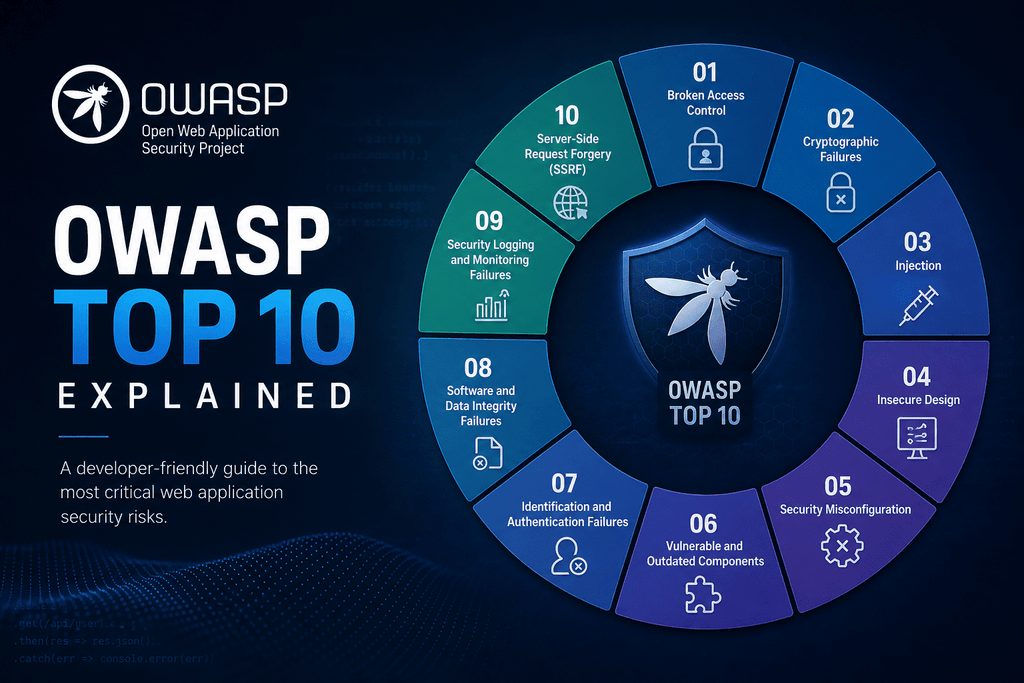
1. What Is the OWASP Top 10, and Why Does It Matter?
The OWASP Top 10 is an awareness document describing ten critical categories of web application security risk. It helps developers, engineers, website maintainers and owners understand common weaknesses and prioritize safer decisions before those weaknesses become costly incidents.
OWASP stands for the Open Worldwide Application Security Project, a nonprofit foundation that provides security resources. Its official OWASP Top 10 project page explains the risks and links to guidance for addressing them. This guide covers the OWASP Top 10:2025 edition, including categories such as Broken Access Control, Security Misconfiguration and Software Supply Chain Failures.
These risks matter because application security affects more than code. A weakness in an online store could expose customer information, let someone take over an account or interrupt checkout. The consequences can include lost sales, recovery costs and damaged trust.
For website teams, the list provides a shared starting point for discussing what could go wrong and where protection needs improvement. You do not need to be a security specialist to use it, but you do need to connect its lessons to your website’s features, data and users.
2. How to Use the OWASP Top 10 Without Treating It as a Checklist
Each OWASP Top 10 entry describes a broad risk category, not a single bug to fix and check off. In an online store with customer accounts, checkout and an administrator dashboard, broken access control could let customers view another shopper’s orders or reach administrative functions. These are different weaknesses within the same category.
Use the list to guide awareness and priorities. It is not a complete security standard, a certification or proof that your website is secure. Your store may also have business-specific risks, such as checkout rules that allow discounts to be combined in unintended ways.
Responsibility should be shared but explicit:
- Developers implement safeguards in application code.
- Maintainers manage updates, dependencies and configuration.
- Owners fund security work and assign accountability.
Protection works best in layers. Secure design establishes the rules, careful implementation enforces them, and dependency management reduces exposure through third-party software. Testing checks whether controls work, while monitoring helps identify suspicious activity and failures after deployment.
Automated scanners support this work, but they cannot reliably detect every authorization or business-logic flaw. A scanner may flag an outdated library yet miss that one customer can access another’s invoice. Combine automated checks with manual reviews of important user journeys.
3. OWASP Top 10 Risks 1–5: Access, Configuration, Dependencies, Encryption and Injection
A01:2025, Broken Access Control
Users can access information or actions beyond their permissions. In an online store, changing an order ID might reveal another customer’s purchase. Enforce authorization on the server for every relevant request, and deny access by default.
A02:2025, Security Misconfiguration
Unsafe settings leave applications exposed. For example, a production checkout page might display debugging errors containing sensitive details. Harden production configurations, disable unnecessary features and keep secrets out of public files.
A03:2025, Software Supply Chain Failures
Weaknesses in dependencies, build systems or software distribution can compromise your website. A compromised package could introduce malicious code during an update. Track dependencies, review updates and protect build pipelines with restricted access.
A04:2025, Cryptographic Failures
Missing or misused cryptographic protections expose sensitive information. For example, customer details sent without HTTPS can be intercepted. Enforce HTTPS, use established cryptographic libraries, protect encryption keys and store passwords using appropriate password-hashing algorithms, such as Argon2id.
A05:2025, Injection
Untrusted input becomes part of a command or executable content. For example, an unsafe search field could let input alter a database query. Use parameterized queries for database operations and context-appropriate output encoding when displaying untrusted content. Input filtering alone is not a sufficient defense.
4. OWASP Top 10 Risks 6–10: Design, Authentication, Integrity, Monitoring and Error Handling
A06:2025, Insecure Design
Security safeguards are missing from the application’s design. For example, an online store’s password-reset flow allows unlimited automated requests. Define security requirements before implementation, use threat modeling to identify potential threats, and review how legitimate features could be abused.
A07:2025, Authentication Failures
Weak login or session controls let attackers impersonate users. For example, repeated password guesses face no meaningful resistance. Use multifactor authentication where appropriate, secure session handling, and rate limits or other defenses against automated login attacks.
A08:2025, Software or Data Integrity Failures
The application trusts software or data without adequate integrity checks. For example, it accepts an update without verifying authenticity. Verify trusted sources and signatures where applicable, and avoid unsafe deserialization, which can turn untrusted stored or transmitted data into dangerous application behavior.
A09:2025, Security Logging and Alerting Failures
Suspicious activity goes unrecorded or unnoticed. For example, repeated administrator login failures generate no alert. Record useful security events, protect logs against unauthorized access or alteration, and assign responsibility for investigating alerts.
A10:2025, Mishandling of Exceptional Conditions
Unexpected failures trigger unsafe behavior. For example, an authorization check encounters an error, but checkout administration remains accessible. Fail securely by denying access when checks fail, handle errors consistently, and test unusual conditions without exposing sensitive details.
5. Turn OWASP Guidance Into a Practical Website Security Routine
Start with a repeatable process that turns OWASP awareness into assigned work:
- Inventory applications and dependencies, including plugins, third-party services and software versions.
- Identify sensitive data and privileged functions, such as customer records, payment workflows and administrator access.
- Review relevant OWASP risks against those systems and workflows.
- Assign remediation owners and deadlines, then verify that fixes work.
Prioritize by exposure, exploitability and business impact, not category ranking alone. A publicly reachable authorization flaw may need attention before a low-impact internal configuration issue.
Establish the foundations: supported software, timely security updates, HTTPS, least-privilege access, protected secrets and multifactor authentication for administrative accounts.
Build dependency scanning, code review and automated security testing into development and maintenance. Add manual authorization testing and security-focused regression tests to catch permission failures and prevent fixed weaknesses from returning. Test only systems you own or are authorized to assess.
Small teams can start with a manageable baseline and expand it. Document incident-response contacts, configure actionable alerts and test backups regularly. Backups support recovery, but do not prevent vulnerabilities.
For detailed requirements, use the OWASP Application Security Verification Standard. For implementation guidance, consult the OWASP Cheat Sheet Series.
6. Keep Learning From OWASP and Make Security Continuous
The OWASP Top 10 gives website teams a shared vocabulary for important application risks. Its value comes from applying that knowledge consistently across design, development and operations, not from reviewing the list once and considering security finished.
Start with three practical steps:
- Review one critical user journey. Choose a process such as signing in, resetting a password or completing checkout. Check how it handles permissions, sensitive information and unexpected failures.
- Address the highest-impact weakness you discover. Consider the likely harm to customers and the business, then assign someone responsibility for fixing and verifying it.
- Schedule a recurring security review. Revisit protections after significant releases, dependency changes or new features. Give each review an owner so it becomes part of routine maintenance.
Use the official OWASP Top 10 project page to explore the current edition, category explanations and linked guidance. Share relevant material with everyone responsible for building, maintaining or funding your website, so security decisions do not depend on one person’s knowledge.
Understanding the basics helps teams ask better questions and make safer decisions. No single list, tool or review can eliminate every risk. The clear takeaway: use OWASP as a foundation for continuous security work, not as a finish line.